Xbox Turns On but No Display? HDMI Port Issues Explained
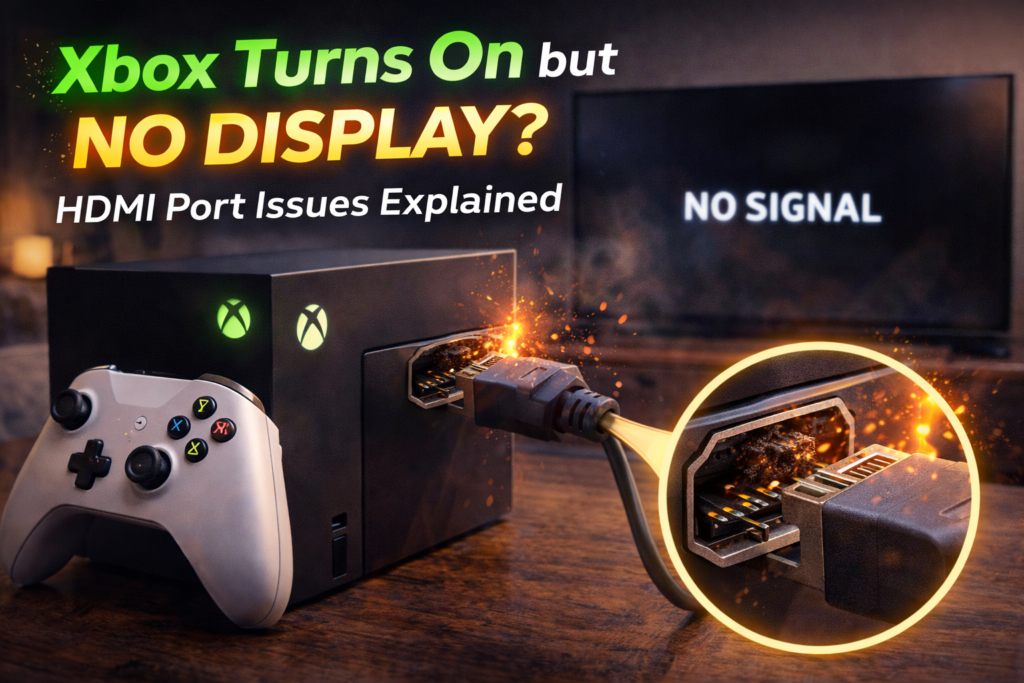
One of the most frustrating Xbox problems is when the console turns on normally — lights up, beeps, fans spin — but nothing appears on the TV. No logo. No dashboard. Just a black screen. In many cases, the TV may briefly flash as if it detects a signal, then go dark again.
In repair shops, this issue is extremely common and most often traced back to HDMI port damage, not software or the TV. Because the console appears “on,” many users waste time resetting settings, swapping cables, or assuming the TV is at fault. Unfortunately, once HDMI signal failure begins, the problem usually worsens without proper repair.
This article explains:
- Why an Xbox can power on with no display
- How HDMI ports fail internally
- Common symptoms that confirm HDMI damage
- Why software fixes don’t work
- When professional HDMI repair is required
What “Turns On but No Display” Actually Means
When an Xbox powers on but shows no image, it tells us several things immediately:
- The power supply is working
- The motherboard is at least partially functional
- The console is booting internally
What’s missing is video signal output. That narrows the problem to:
- HDMI port
- HDMI retimer / encoder circuitry
- Rarely, GPU-related signal output issues
In real-world repairs, HDMI port damage accounts for the majority of cases.
Why HDMI Ports Are a Common Failure Point
The HDMI port is one of the most physically stressed components on an Xbox.
It experiences:
- Frequent cable insertion and removal
- Side pressure from tight cables
- Weight from hanging HDMI cords
- Accidental tugs, drops, or console movement
Internally, the HDMI port is soldered to the motherboard using tiny anchor points. Once those points weaken or crack, the port may look fine from the outside — but fail electrically.
Most Common HDMI Port Problems Causing No Display
1. Cracked Solder Joints (Most Common)
Even a small drop or cable pull can cause:
- Micro-fractures in HDMI solder joints
- Partial signal loss
- Intermittent connection
Symptoms include:
- No display at all
- Display only at certain cable angles
- Flickering or brief signal flashes
This type of damage cannot be fixed with settings or cables.
2. Bent or Broken HDMI Pins
Inside the HDMI port are delicate pins responsible for:
- Video data
- Audio data
- Signal handshake with the TV
If pins bend or snap:
- The Xbox may still power on
- The TV may not recognize a signal
- Resolution detection fails
Bent pins often occur when:
- HDMI cables are forced in
- Consoles fall while plugged in
3. Internal HDMI Encoder / Retimer Stress
If HDMI port damage goes untreated, stress can spread to:
- HDMI retimer chip
- Signal filters near the port
This can cause:
- Total display failure
- Inconsistent output across TVs
- Permanent signal loss
Early repair prevents this escalation.
4. Port Housing Separation
The metal shell of the HDMI port helps maintain alignment.
If it loosens:
- Pins shift out of position
- Signal paths break
- Port feels loose or “wiggly”
This often happens after repeated cable strain.
Why Changing HDMI Cables Rarely Fixes the Problem
Many users try:
- Multiple HDMI cables
- Different TVs
- Different inputs
If none of these restore display, the issue is not external.
Important clue:
If the Xbox worked before and suddenly stopped displaying after movement, a drop, or cable pressure — HDMI damage is almost guaranteed.
Common Myths About No Display Issues
Myth 1: “It’s a Software Glitch”
Software issues rarely eliminate all video output while allowing normal power-up.
Myth 2: “Factory Reset Will Fix It”
You cannot reset what you cannot see — and HDMI damage prevents display entirely.
Myth 3: “The TV Is the Problem”
If other devices display normally on the same TV, the Xbox is the issue.
Warning Signs HDMI Damage Is the Cause
Strong indicators include:
- Xbox light turns on normally
- Console stays powered on
- No error messages appear
- TV briefly detects input then goes black
- HDMI cable feels loose in the port
- Issue started after moving the console
These signs point directly to HDMI signal failure.
Why the Problem Gets Worse Over Time
HDMI damage is mechanical and electrical — it never heals.
Continued use causes:
- Further solder cracking
- Increased signal instability
- Possible damage to HDMI encoder chip
Waiting often turns a simple port repair into a more complex board-level repair.
How Professionals Diagnose HDMI No-Display Issues
A proper diagnosis includes:
- Visual inspection under magnification
- Port pin continuity testing
- Signal output measurement
- Encoder voltage checks
This confirms whether:
- Only the HDMI port is damaged
- Or deeper circuitry is affected
Accurate diagnostics prevent unnecessary repairs.
HDMI Port Repair vs Board Replacement
HDMI Port Repair (Most Cases)
- Old port removed
- Pads inspected and reinforced
- New HDMI port soldered
- Signal tested across resolutions
Board Repair (Less Common)
Required only if:
- Encoder chip is damaged
- Pads were ripped off by severe impact
- Liquid damage reached video circuits
Most “no display” cases do not require board replacement when addressed early.
👉 Need to repair your Xbox? Contact us now!
What Happens During Professional HDMI Port Repair
A proper repair includes:
- Complete disassembly
- Controlled port removal
- Board-safe soldering techniques
- Signal integrity testing
- Stress testing with multiple displays
This restores full video output reliability.
When You Should Seek Immediate Repair
Do not delay repair if:
- The Xbox shows no image at all
- HDMI cable feels loose
- Console was recently dropped
- Display flickers or cuts out
- You hear sound but see nothing
Early repair prevents permanent damage.
Final Takeaway
When an Xbox turns on but shows no display, HDMI port damage is the most common and most likely cause. This is a hardware issue — not a cable problem, not a TV problem, and not a software glitch.
Professional HDMI port repair restores full video output, protects the motherboard, and prevents the problem from escalating into costly board-level damage.