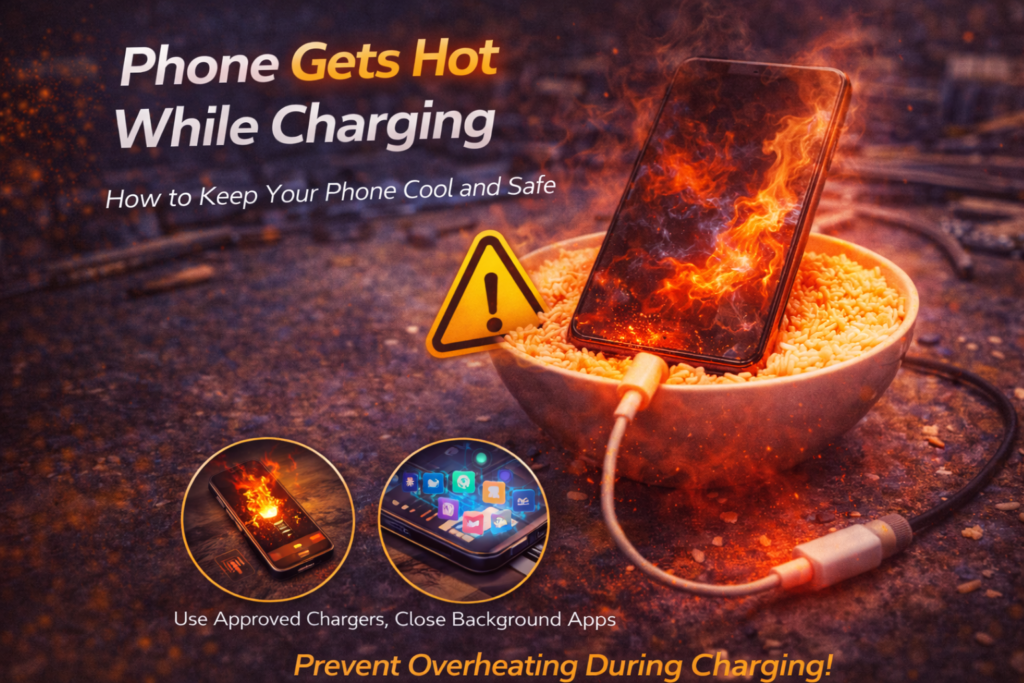
Phone Gets Hot While Charging
Introduction
It is normal for a phone to feel slightly warm while charging. However, when a phone becomes hot to the touch during routine charging, it is a clear warning sign. In St. Charles, overheating while charging is one of the most common early indicators of battery failure we diagnose.
We frequently see this issue in customers near Zumbehl Road and the Mid Rivers Mall who dismiss the heat as harmless until performance drops or the phone becomes unsafe to use.
Excess heat accelerates battery degradation, damages internal components, and increases the risk of battery swelling. This article explains why phones get hot while charging, what is happening internally, when heat becomes dangerous, and when professional battery replacement is the correct solution.
What’s Normal vs Not Normal Charging Heat
A phone may feel mildly warm during charging due to energy transfer. This is expected behavior.
Heat is not normal when:
- The phone becomes uncomfortably hot
- Heat is concentrated near the battery area
- The phone heats up even when not being used
- Charging causes screen dimming or performance slowdown
When charging heat crosses this line, internal inefficiency or battery failure is likely present.
Most Common Reasons Phones Overheat While Charging
1. Aging or Degraded Battery (Most Common Cause)
As lithium-ion batteries age, internal resistance increases.
This causes:
- More energy to convert into heat
- Less energy to be stored efficiently
- Faster temperature rise during charging
Heat during charging is often the first noticeable sign that a battery is wearing out.
👉 Learn more about Battery Replacement in St. Charles
2. Fast Charging Stress
Fast chargers deliver higher power levels to reduce charging time.
On aging batteries, this leads to:
- Excessive heat buildup
- Increased chemical stress
- Accelerated battery degradation
Fast charging becomes increasingly risky as batteries age.
3. Poor Charging Environment
Charging conditions play a major role in heat buildup.
Phones overheat more easily when:
- Charged under pillows or blankets
- Used while charging
- Kept in thick or insulating cases
- Exposed to warm rooms or direct sunlight
These factors trap heat and prevent proper dissipation.
4. Damaged or Low-Quality Charging Equipment
Cheap or damaged charging accessories can:
- Deliver unstable power
- Reduce charging efficiency
- Increase heat output
Consistent overheating often points to poor power delivery rather than software issues.
5. Battery Swelling or Internal Damage
A damaged or swelling battery may generate heat even during normal charging speeds.
Swollen or internally damaged batteries:
- Trap heat internally
- Stress surrounding components
- Significantly increase fire risk
This requires immediate professional attention.
Why Charging Heat Gets Worse Over Time
Once a battery begins overheating, the issue compounds.
Heat:
- Weakens internal battery chemistry
- Increases internal resistance
- Speeds up capacity loss
This creates a cycle where charging heat and battery degradation accelerate together.
iPhone Overheating While Charging
iPhones actively manage heat, but degraded batteries still cause problems.
Common iPhone symptoms include:
- Screen dimming while charging
- Charging slowing unexpectedly
- Phone shutting off during charging
These issues often appear as battery health approaches 80 percent.
👉 Learn more about iPhone Battery Replacement in St. Charles
Samsung and Android Charging Heat Issues
Samsung and other Android phones may overheat due to:
- Fast charging stress
- Battery degradation
- Increased resistance in charging circuits
Persistent heat during charging usually indicates battery wear rather than software failure.
👉 Learn more about Samsung Battery Replacement in St. Charles
Why Software Fixes Rarely Solve Charging Heat
Software updates may temporarily limit charging speed, but they cannot repair failing battery cells.
If overheating occurs:
- With different chargers
- After restarts
- During light or idle use
The cause is hardware-related, not software-based.
Why Battery Replacement Fixes Charging Overheating
Replacing the battery:
- Reduces internal resistance
- Improves charging efficiency
- Lowers operating temperature
- Prevents swelling and safety risks
A new battery restores normal, safe charging behavior.
What Happens During Professional Battery Replacement
A proper battery replacement includes:
- Battery diagnostics
- Safe removal of the old battery
- OEM-grade battery installation
- Adhesive replacement
- Charging and temperature testing
This ensures safe operation and long-term reliability.
When You Should Stop Charging and Seek Repair
Stop using the phone and seek immediate repair if:
- The phone becomes extremely hot
- The screen lifts or back separates
- Charging causes shutdowns
- Burning smells or discoloration appear
These are serious safety warnings.
Battery Replacement in St. Charles, MO
At Phone Factory in St. Charles, overheating during charging is treated as a priority issue. Professional battery replacement restores safe operating temperatures and reliable performance for customers throughout St. Charles, including areas near Zumbehl Road and Mid Rivers Mall.
Related Services
Final Takeaway
If your phone gets hot while charging, it is a sign of inefficiency, battery wear, or internal damage. Ignoring charging heat accelerates battery degradation and increases safety risks.
Professional battery replacement is often the safest and most effective solution to restore proper charging behavior and protect your device.
Phone gets hot while charging? Contact us now!