Xbox Beeps but Will Not Start
Introduction
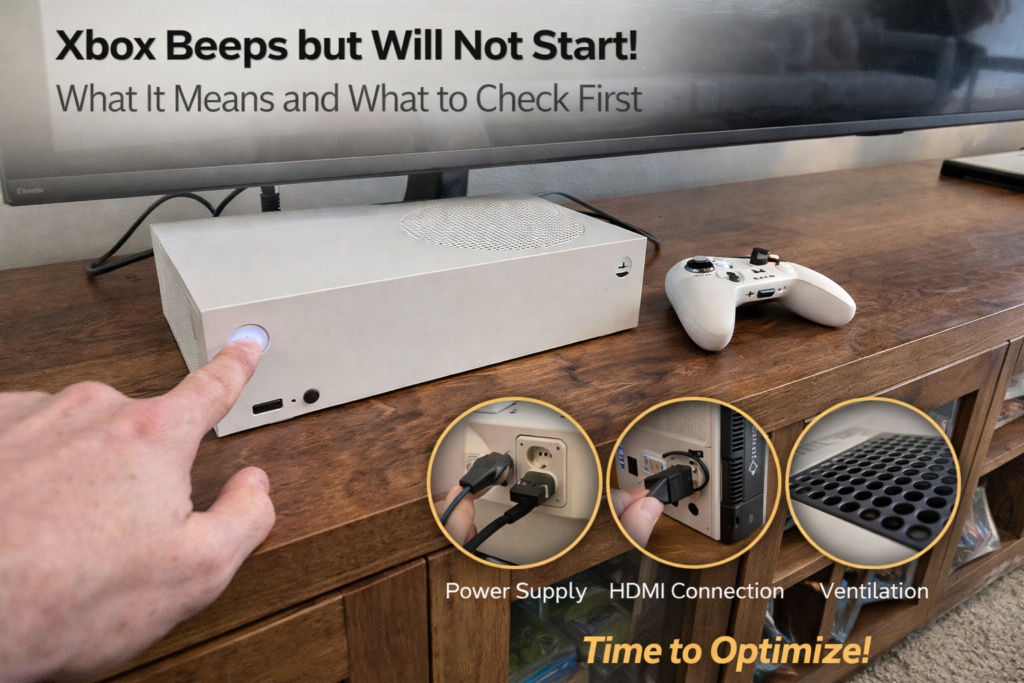
Hearing your Xbox beep but watching nothing else happen can be confusing and alarming. You press the power button, the console makes the familiar startup sound, but there’s no light, no fan spin, and no display. In some cases, the light flashes briefly and shuts off. In others, the Xbox beeps repeatedly but never fully powers on.
In repair shops, this issue is a serious warning sign — not a random glitch. The beep confirms the console is receiving some power and that the power button circuit is working, but something critical is preventing the system from completing startup.
This article explains:
- What the Xbox beep actually means
- Why the console won’t start afterward
- The most common internal causes
- What users often misdiagnose
- When professional repair is required
What the Xbox Beep Actually Confirms
When an Xbox beeps:
- Power is reaching the console
- The front panel / power button circuit is functional
- The console attempts to initiate startup
What the beep does not confirm:
- That the motherboard is healthy
- That the power supply is delivering full voltage
- That internal components are functioning
The beep is the first step of startup — not confirmation that the system can continue.
Why an Xbox Can Beep but Not Turn On
An Xbox requires multiple systems to activate in sequence:
- Power delivery stabilizes
- Voltage rails initialize
- Fan and cooling system start
- Processor and memory activate
- Display output initializes
If any step fails, the console halts immediately — often right after the beep.
Most Common Causes of Beep-But-No-Startup
1. Power Supply Failure (Very Common)
Power supplies can partially fail.
This means:
- Enough power to trigger the beep
- Not enough stable power to run the system
Common causes include:
- Internal capacitor failure
- Voltage drop under load
- Overcurrent protection triggering
Symptoms:
- Beep, then silence
- No fan movement
- No lights or brief flash
2. Short Circuit or Power Protection Trigger
Modern Xbox consoles include protection circuits.
If a short is detected:
- Power is instantly cut
- Console prevents startup to avoid damage
Shorts can be caused by:
- Liquid exposure
- Metal debris
- Failing components
- Damaged HDMI or USB ports
This often results in:
- Beep with immediate shutdown
- No error messages
- Console appears “dead” after beep
3. Overheating History Causing Component Failure
If the Xbox previously:
- Overheated frequently
- Shut down during gameplay
- Ran with loud fans or clogged vents
Internal damage may have occurred to:
- Power regulation circuits
- CPU power delivery
- Southbridge components
These failures often surface later as no-start conditions.
4. Corrupted Internal Power Control Board
Some Xbox models use separate boards for:
- Power control
- Front panel input
- System wake signals
If this circuitry fails:
- Beep may occur
- Startup sequence never continues
This is often mistaken for a “dead console.”
5. Liquid Damage (Even If It Was “A While Ago”)
Liquid exposure doesn’t always kill a console immediately.
Delayed effects include:
- Corrosion on power rails
- Increased resistance
- Short circuits developing over time
Many “beep only” Xbox units show corrosion damage under inspection.
Why HDMI or Display Issues Are NOT the Cause
If the Xbox:
- Never turns on
- Fans don’t spin
- Light doesn’t stay on
Then HDMI or display problems are not responsible.
HDMI issues cause:
- No image
- But console still runs
Beep-only behavior indicates a power-stage failure, not a video issue.
Common Myths About Beeping Xbox Consoles
Myth 1: “It Just Needs a Reset”
Unplugging may temporarily reset protection circuits — but if the issue returns, hardware is failing.
Myth 2: “It’s a Software Problem”
Software cannot prevent fans and power rails from activating.
Myth 3: “The Beep Means It’s Fine”
The beep only means the console tried to start.
Why This Problem Often Appears Suddenly
Many Xbox failures are progressive but unnoticed.
Examples:
- Power supply slowly degrading
- Dust buildup increasing heat
- Minor liquid exposure corroding contacts
The console may work fine one day — and refuse to start the next.
Why Repeated Power Attempts Can Make It Worse
Repeatedly pressing the power button can:
- Stress failing components
- Trigger protection repeatedly
- Increase internal heat in damaged areas
If the Xbox beeps but doesn’t start:
Stop attempting power-ups.
How Professionals Diagnose Beep-Only Xbox Consoles
Proper diagnostics include:
- Power rail voltage testing
- Load testing the power supply
- Short detection on the motherboard
- Thermal inspection
- Board-level continuity testing
This determines whether the issue is:
- Power supply only
- Board-level
- Port-related
- Corrosion-based
Accurate diagnosis prevents unnecessary replacements.
Power Supply vs Motherboard Failure
Power Supply Failure
- More common
- Less expensive to repair
- Faster turnaround
- High success rate
Motherboard Power Failure
- Less common
- Requires board-level repair
- Often linked to heat or liquid damage
Diagnostics determine which path is needed.
Warning Signs That Preceded the Failure
Many users recall earlier symptoms such as:
- Xbox shutting off randomly
- Console getting unusually warm
- Fan running louder than normal
- Delayed startup times
- Brief power flashes before failure
These were early indicators of power instability.
When Repair Is Strongly Recommended
Seek professional repair if:
- Xbox beeps but never powers on
- Console stopped suddenly
- No fan activity occurs
- Power issue appeared overnight
- The console is otherwise in good condition
Early repair improves success rates significantly.
What Happens During Professional Repair
A proper repair process includes:
- Complete disassembly
- Electrical isolation testing
- Power component inspection
- Replacement of failed components
- Stability testing under load
This ensures the issue is fully resolved — not temporarily bypassed.
Learn more about Xbox Repair!
Final Takeaway
When an Xbox beeps but will not start, it’s a hardware power issue, not a software glitch or HDMI problem. The beep confirms the console wants to turn on — but something critical is preventing it.
Professional diagnostics identify whether the power supply, protection circuits, or motherboard components are responsible. Addressing the problem early prevents permanent damage and often avoids full console replacement.
Xbox not starting? Contact Us Now!